
Adult Day Care Activity Ideas to Keep Clients Engaged
Adult day care centers provide a vital service, offering a ...
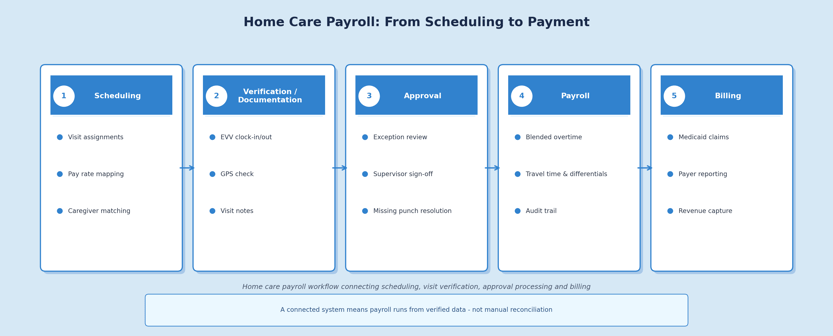
Home care payroll isn't "just payroll." The right software has to translate real-world care delivery into accurate pay - handling overtime and blended rates, travel time, shift differentials, cancellations, and multi-state rules. While syncing with scheduling and EVV approvals to stop payroll leakage before it starts. This guide covers the pay scenarios your system must handle, the compliance obligations most vendors gloss over, and a practical checklist to help you choose a platform that pays caregivers correctly, reduces Friday afternoon chaos, and supports compliant growth. Ankota is built around exactly this connected architecture - scheduling, visit verification, and payroll working from a single source of truth so exceptions get resolved before they become errors.
Most payroll problems in home care don't start in payroll. They start in scheduling.
A caregiver arrives 20 minutes late because of traffic. A client cancels at 7am. Two visits overlap on paper because a coordinator updated the schedule after the caregiver had already clocked in. A caregiver worked for three different clients this week, each at a slightly different rate, and the total hours crossed the overtime threshold somewhere in the middle.
By the time Friday comes around and payroll needs to run, the average home care agency has a small pile of exceptions that need human judgment before any calculation happens. In agencies without the right systems, that pile is what the payroll coordinator spends their afternoon sorting through.
Home care payroll sits at an unusually complicated intersection: a dispersed workforce working across many locations, constant schedule changes from call-offs and last-minute substitutions, multiple pay types including hourly, per-visit, live-in, differentials, and reimbursements, and compliance obligations that vary not just by state but sometimes by payer. Federal wage-and-hour rules add another layer - the Department of Labor is clear that travel time between clients can be compensable for third-party employers in certain arrangements, which means your payroll system needs to handle travel time as a pay category, not just ignore it and hope nobody asks.
For agencies serving Medicaid-funded programs, the complexity compounds further. EVV and documentation workflows often determine what time is actually payable, what needs review before it reaches payroll, and what becomes a billing problem if it's processed incorrectly. When payroll and EVV operate in separate systems without clean integration, coordinators become the integration layer - manually reconciling records that should never have been separated.
The downstream consequences of getting this wrong go beyond administrative inconvenience. Payroll errors erode caregiver trust, and in an industry already facing a caregiver shortage, a pattern of pay disputes is a retention problem with real dollar consequences attached.
The goal of payroll automation in home care isn't to replace human judgment - it's to eliminate the calculations that don't require it so that human attention is focused where it's actually needed.
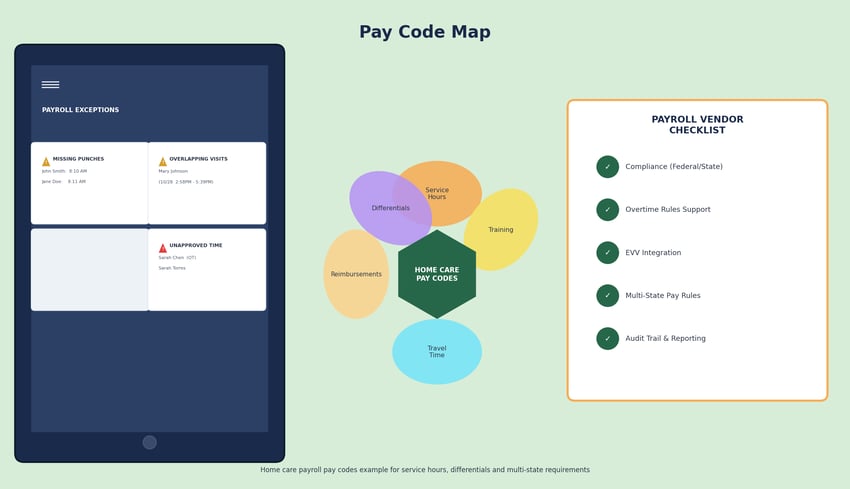
That means automatic overtime calculation and blended rate support when caregivers work at multiple pay rates in the same week, rule-based handling for shift differentials, holiday pay, and minimum shift policies, exception workflows that surface missing punches, overlapping shifts, and unmatched visits before they become payroll errors, and full audit trails that record who changed what, when, and why.
That last piece - the audit trail - is what separates a payroll system from a payroll tool. When a caregiver disputes their hours six months later, or when a labor audit arrives, the question isn't just what was paid. It's what the record shows happened and whether the record is defensible.
Home care agencies don't need to become labor law specialists, but their software should do the work of keeping them safe.
The practical compliance requirements are built-in overtime logic with configurable rules that reflect your agency's actual policies, digital storage of policy documents and employee acknowledgements, and reporting capabilities that support audits and disputes without manual assembly.
The distinction worth making here is between software that records time and software that enforces policy. Those are different things. A system that requires supervisor approval before payroll export, flags edits above a certain threshold for review, and requires reason codes for time corrections is doing compliance work. A system that simply records what was entered is putting the compliance burden back on your staff.
For Medicaid-funded care, one of the most operationally significant shifts a platform can make is running payroll from approved visits rather than raw clock events. Your system should automatically check that the visit is clocked-in and clocked out at the right location and that care tasks are reported cleanly.
When a visit is verified through EVV and approved through your documentation workflow, that record is the authoritative source for both billing and payroll. Pulling payroll hours from that source - rather than from a parallel timecard entry - eliminates an entire category of discrepancy. Caregivers don't double-submit. Coordinators don't reconcile two systems. The exception queue shrinks to cases where something genuinely needs human resolution.
What to insist on in any EVV-integrated payroll setup: payroll hours should pull from approved visits, exceptions should route to the right role rather than a general queue, and there should be a clear workflow for handling visits that are verified but not billable due to authorization or plan mismatches. That last scenario is where many integrated platforms break down - the visit happened, the time is payable, but the billing situation is complicated, and the system needs to handle that without creating a downstream error.
Home care staff frequently work across multiple clients or programs at different pay rates within the same week. When total hours cross the overtime threshold, calculating the blended overtime rate correctly isn't optional - it's a wage-and-hour compliance requirement.
We've seen agencies handle this in spreadsheets for years, which works until it doesn't. A retroactive adjustment after a payroll error has already been processed, or a disputed overtime calculation that gets escalated, costs significantly more to resolve than it would have cost to configure correctly upfront.
Your system should support multiple active pay rates for a single employee within a single pay period, automatic blended overtime calculation, retroactive adjustments without manual spreadsheet work, and pay detail that's visible to the employee - reducing the disputes that come from caregivers not understanding their own paystubs.
Travel time is one of the most common sources of payroll disputes and compliance risk in home care, partly because it's easy to overlook and partly because the rules are genuinely complex. The DOL's guidance for direct care work makes clear that travel between multiple clients may be compensable in third-party employer arrangements - which covers a significant portion of home care agencies. (Note: Rules can vary significantly for 'companionship services' exemptions vs. general home care, so always consult with counsel on your specific classification).
The nuance that trips up a lot of agencies is the gap rule. As a general principle, when a caregiver travels between visits in the same day, that travel time should be compensated. But when the gap between those visits is large - a morning shift ending at 11am and an evening shift starting at 6pm, for example - that tends to be treated as two separate commutes rather than continuous compensable time. Many agencies configure their systems accordingly, setting a threshold (often around an hour or 90 minutes between visits) below which travel pay applies and above which it doesn't.
Your system should support distinct pay codes for travel time vs. service time, mileage reimbursement rules that can vary by program or client, and split shift logic that handles last-minute schedule changes cleanly. If your current system has no pay code for travel time at all, that's a gap worth addressing before it surfaces in an audit.
Where it gets more specific is at the state and program level. Several of our customers in Kentucky, for instance, have set up their systems to pay for travel from the caregiver's home to the client's home and back when the total round trip exceeds a defined threshold - 25 or 30 miles is a common benchmark - on the logic that anything above that goes beyond what you'd expect someone to absorb as a normal commute. The point isn't that every agency should follow that exact model. The point is that your system needs to be configurable enough to reflect whatever your policy actually is, and that policy should exist explicitly rather than being handled case by case.
Every agency has policies for what happens when a client cancels with short notice, when a caregiver shows up and the client isn't home, or when a shift is cut short. The question is whether your payroll system can enforce those policies automatically or whether enforcement depends on a coordinator remembering to apply the right rule manually.
Configurable rules for cancellation windows, show-up pay, and missed visit documentation requirements are the difference between a policy that exists and a policy that runs consistently. When a caregiver knows the rules are applied the same way every time, pay disputes decrease. When they suspect the rules are applied inconsistently, trust erodes.
Agencies operating across state lines face a compounding compliance challenge: different overtime thresholds, different minimum wage requirements, different caregiver credential and onboarding documentation requirements, and different EVV and payer rules for Medicaid programs. An agency with operations in two neighboring states may be managing two effectively different compliance frameworks in the same payroll run.
The key when evaluating any platform for multi-state operations is to test your specific scenario explicitly, not rely on a vendor's general claim of multi-state support. Ask them to demonstrate how the system handles a caregiver who works in two states in the same week, and how it applies each state's overtime rules to that split.
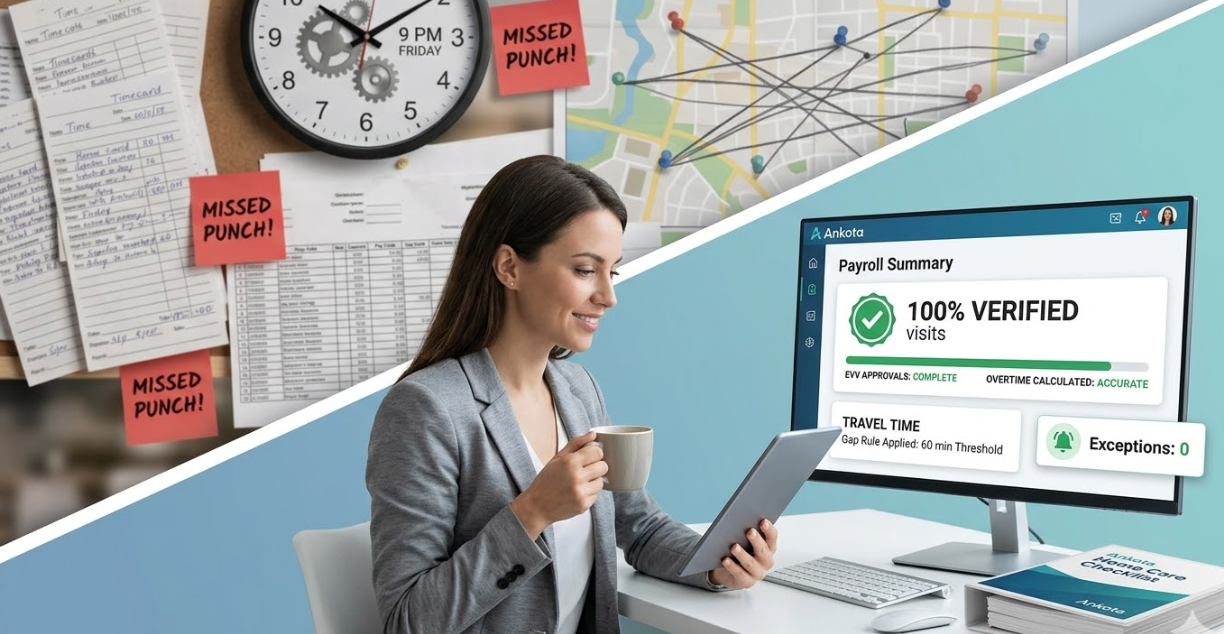
Payroll leakage is what happens when an agency pays for time that wasn't worked, wasn't properly approved, or was entered incorrectly - and nobody catches it before payroll runs.
It happens in predictable ways. Duplicate or overlapping shifts that both get paid because nobody reconciled the schedule against the clock events. Time that was entered manually on a timecard after the fact, disconnected from the EVV record that shows what actually happened. Service time that was coded as training time or vice versa, with downstream implications for billing. Manual timecard entries that exist alongside a scheduling system record, creating two versions of the same shift.
The scenario that most agencies recognize: it's Friday afternoon, payroll needs to run by 3pm, and twelve visits have missing clock-outs. Six caregivers are claiming they stayed late. Four visits were cancelled last minute and nobody updated the system. Without exception routing and verified approvals upstream, payroll either runs late, runs with unresolved discrepancies, or gets corrected the following week with a frustrated caregiver on the other end of the phone.
The agencies that handle this best have largely moved away from the weekly payroll scramble altogether. The most sophisticated operators we've worked with review visits every single day and submit claims on a rolling basis - so if a visit gets rejected, they're resubmitting one day's records, not filing a corrected claim for an entire week. On the caregiver side, they've built in automated text reminders that go out as a shift is ending, prompting the clock-out before it becomes a missing-punch exception. This matters especially in self-direction and consumer-directed programs, where many of the caregivers are family members who don't physically leave the home at the end of a shift and don't think of clocking out the same way a professional caregiver would.
A single source of truth for timekeeping - tied to the schedule and to visit verification - is the structural fix. Not a workaround, not a better spreadsheet. A system where the schedule, the EVV record, the approval, and the payroll calculation are all working from the same underlying data.
At the more extreme end of what leakage looks like when the cross-check doesn't exist: we know of a multi-state agency providing services to veterans across 13 states and to people with disabilities in six more. Their California operation had no reconciliation between what was being paid to caregivers and what was being billed to payers. They discovered - very close to their timely filing deadline - that they had paid support staff for visits they had never billed at all. The total was $1.7 million. That's not a rounding error or a bad week. It's what happens when payroll and billing are operating from separate sources of truth with no systematic cross-check between them.
The agencies that have the smoothest payroll system transitions are the ones that do the configuration work before they migrate, not after.
Start by mapping every pay code you currently use - service hours, travel time, training, differentials, cancellation pay, mileage reimbursements - before you move any data. Then define your approval workflow explicitly: who approves time, what triggers a flag, and what documentation is required for an exception. These decisions need to happen before the system is configured, not during.
Run parallel payroll for at least one or two cycles. Compare the output of the new system against your existing process and correct any rule logic before you're relying on the new system exclusively. The errors you find during parallel payroll are cheap to fix. The errors you find after you've gone live are not.
Train by role, not as a group. The scheduler, the supervisor, the payroll processor, and the caregiver using self-service all have different jobs in the payroll workflow and need different training. And measure what changes: track your correction rate, your time-to-run payroll, and your caregiver pay dispute frequency before and after the switch. Those numbers tell you whether the investment paid off.
Many payroll vendors focus on payroll and HR in isolation. Many scheduling tools stop at the schedule. The operational problem for home care agencies is that payroll quality is downstream of everything that happens in scheduling, visit verification, and documentation - and when those systems don't talk to each other cleanly, the payroll coordinator absorbs the cost of the disconnection.
Ankota is built around the premise that scheduling, visit verification, compliance workflows, and billing operations should work as a connected system rather than a stack of separate tools. When those pieces are integrated, payroll runs from a cleaner source of truth: approved visits that have already passed through documentation and compliance workflows, with exceptions surfaced and resolved before they reach payroll close rather than during it.
For agencies managing multiple program types - home care alongside self-direction FMS programs, or home care alongside adult day services - that connected architecture matters even more. The payroll and compliance requirements differ by program, but the cost of running parallel systems for each program type adds up quickly in coordinator capacity and error risk.
The best home care payroll software doesn't just calculate checks correctly. It pays accurately and predictably enough that caregivers stop thinking about their pay at all - because it's always right and always on time.
In an industry where caregiver turnover is one of the largest operational costs an agency faces, that reliability is not a nice-to-have. A pattern of pay disputes, late corrections, or unexplained deductions is a signal caregivers read clearly, and they respond to it by looking for the next opportunity.
When payroll is accurate, your office team gets their Friday afternoons back. When payroll is predictable, your caregivers stay longer. Both of those outcomes have dollar values attached to them that far exceed the cost of the right platform.
Something worth keeping in mind as agencies grow: getting paid is the single most important thing that happens for someone working at your agency. Not the mission, not the scheduling flexibility - the paycheck. When a caregiver's pay doesn't match what they expected, it doesn't just create an administrative problem. For a lot of people working in home care, a missing shift differential or an incorrect overtime calculation can genuinely put their household in a difficult position. We've heard of caregivers leaving agencies specifically because their pay was unpredictable - not dramatically wrong, just inconsistently calculated across regular hours, overtime, travel, mileage, and holiday differentials. That inconsistency reads as disorganization, and eventually it reads as a reason to find a more reliable employer.
Request an Ankota payroll readiness walkthrough - we'll map your pay codes, approval workflow, EVV tie-ins, and any multi-state complexity to a practical checklist you can use whether you choose Ankota or another system.
The combination of a mobile, dispersed workforce, multiple active pay rates for a single employee, EVV and visit verification requirements for Medicaid-funded programs, and real-world pay scenarios like travel time between clients and last-minute cancellations. General payroll software handles standard hourly and salaried employees well. Home care payroll requires rule sets and exception workflows that most general platforms don't support out of the box.
For agencies serving Medicaid-funded programs, yes - and the integration matters more than most demos suggest. The key question isn't whether the two systems can exchange data; it's whether payroll pulls from approved visits rather than raw clock events, and whether exceptions route appropriately when a visit is verified but not billable. That distinction determines whether the integration actually reduces admin work or just creates a more complicated reconciliation.
Payroll leakage is paying for time that wasn't worked, wasn't approved, or was entered incorrectly - duplicate entries, unapproved overtime, miscoded service time, manual timecards that contradict EVV records. The structural prevention is a single source of truth for timekeeping tied to scheduling and visit verification, with approval workflows that catch exceptions before payroll runs rather than after.
The most commonly overlooked one is travel time between clients, which the Department of Labor specifies can be compensable for third-party employers in certain arrangements. Overtime calculation for employees with multiple pay rates in the same week (blended rate overtime) is another. Your payroll system should handle both automatically with configurable rules, and you should verify that it does before relying on it for compliance purposes.
The timeline depends heavily on the complexity of your pay codes and approval workflows, but most agencies should plan for four to eight weeks from configuration to go-live, including a parallel-payroll period. Agencies that skip the parallel-payroll step tend to discover rule configuration errors under live conditions, which is significantly more disruptive than finding them during testing.
Ask the vendor to show you a week where one caregiver worked at three different pay rates and crossed the overtime threshold. Ask them to show you how a missing clock-out is routed and resolved. Ask them to show you how a last-minute cancellation is handled in payroll. Ask them to show you an audit trail for a corrected time entry. If those demonstrations are smooth, the platform was built for home care. If they require workarounds or the rep needs to check with someone, that tells you what your coordinators will be dealing with.
Ankota's mission is to enable the Heroes who keep older and disabled people living at home to focus on care because we take care of the tech. If you need software for home care, EVV, I/DD Services, Self-Direction FMS, Adult Day Care centers, or Caregiver Recruiting, please Contact Ankota. And if you're ready to see how the most innovative agencies are using AI to empower their caregivers and automate the rest, meet your new companion at www.kota.care.

Aditya Chaudhry is a STEM MBA candidate at Babson College (graduating May 2026), focusing on AI and statistics. He leverages his successful background driving company growth in India to deliver impactful data-driven solutions.
.png)
.png)



Trusted by home care agencies nationwide