
Adult Day Care Activity Ideas to Keep Clients Engaged
Adult day care centers provide a vital service, offering a ...
Running a home care agency means juggling many tasks, and billing is one of the most crucial but complex. Whether you’re new to home care billing or already have experience, there are always tips and tricks that can help streamline the process.
Here are 9 important lessons I’ve learned as a home care biller that could make your billing process smoother, faster, and more accurate.
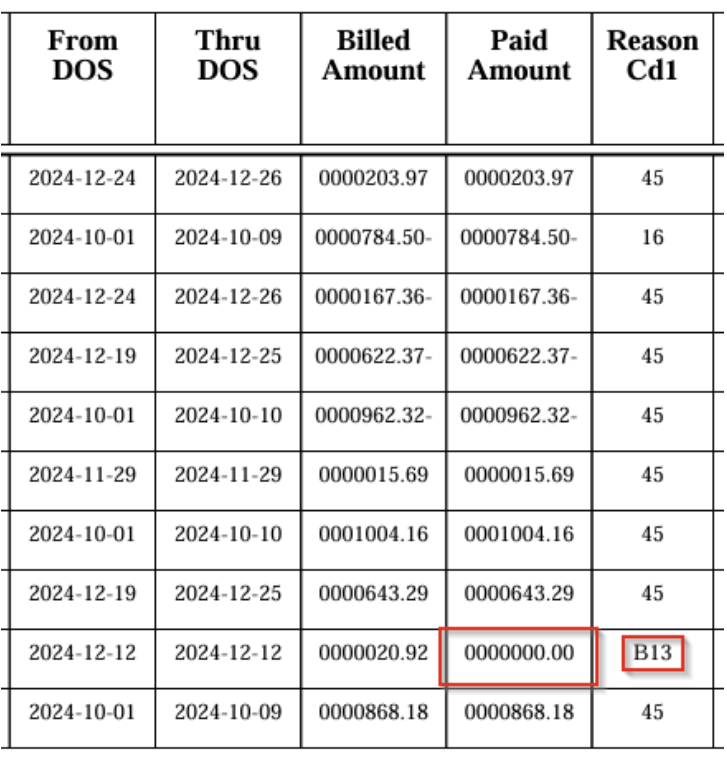
After submitting a claim, it’s vital to check the claim confirmations you receive from your software or claims processor. If you bill during regular business hours, the confirmation typically comes the next day. However, if you bill late or on the weekend, the response time might be longer.
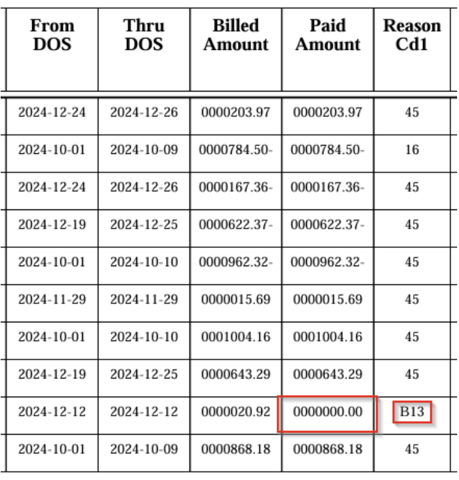
Pro Tip: Keep track of what’s been paid to avoid ongoing issues. You can look for reason codes and notes on the payment status, such as Reason Code B13, indicating a previously paid service.
If you don’t know why a claim hasn’t been paid, don't hesitate to call EMOMED’s help desk. They provide detailed answers and guide you on how to resolve issues. Before you call, make sure you have all the necessary information:
Pro Tip: Learn how to check these issues yourself next time!
Image Suggestion: A screenshot of the help desk contact details.
Success in the Show-Me State requires more than just knowing the rules; check out these proven best practices specifically for Missouri Medicaid agencies.
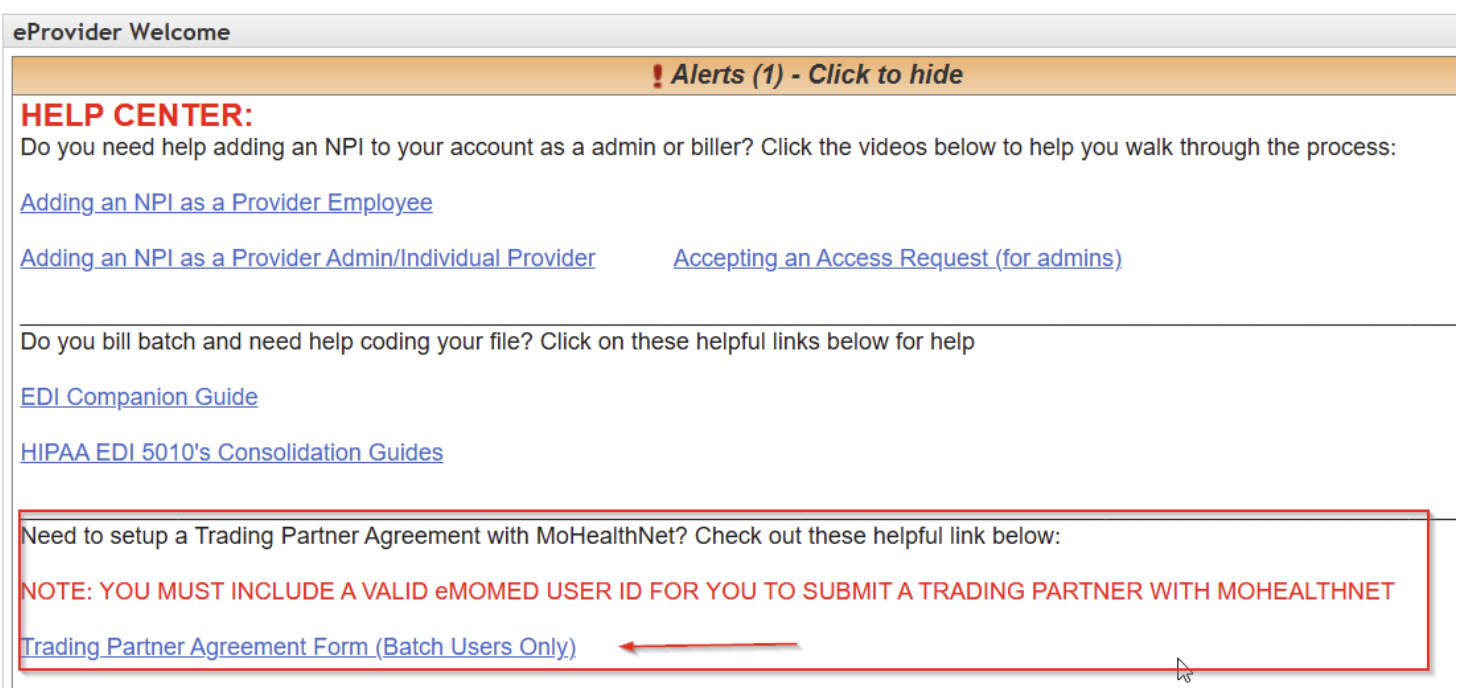
Most agencies are transitioning to electronic billing. If you haven’t yet, it’s time to make the shift. Here’s how you can get started:
Pro Tip: To submit electronic claims, you’ll need to submit a trading partner agreement to EMOMED.

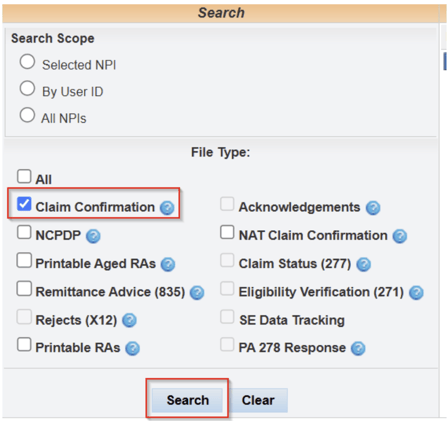
The File Management screen on EMOMED lets you download important files, including claim confirmations. You’ll want to familiarize yourself with this screen so you can easily retrieve claim-related data.
Pro Tip: Regularly check these files to stay on top of billing accuracy and payment status.
Once you’re comfortable with downloading files, it's also essential to understand the uploading process. This is where you submit your claims. Make sure you’re uploading the correct files and confirming receipt on the system.
Pro Tip: Double-check file formats and data before submission.

Remittance Advice (ERA) is one of the most important tools for managing your claims and payments. This file helps you track what’s been paid and what hasn’t, giving you a detailed breakdown of each visit.
Pro Tip: Learn to process the ERA to quickly identify what needs attention. If there are discrepancies, you’ll know exactly where to look.
Stay ahead of the curve and protect your bottom line by preparing for the major Missouri EVV shifts arriving in 2026.
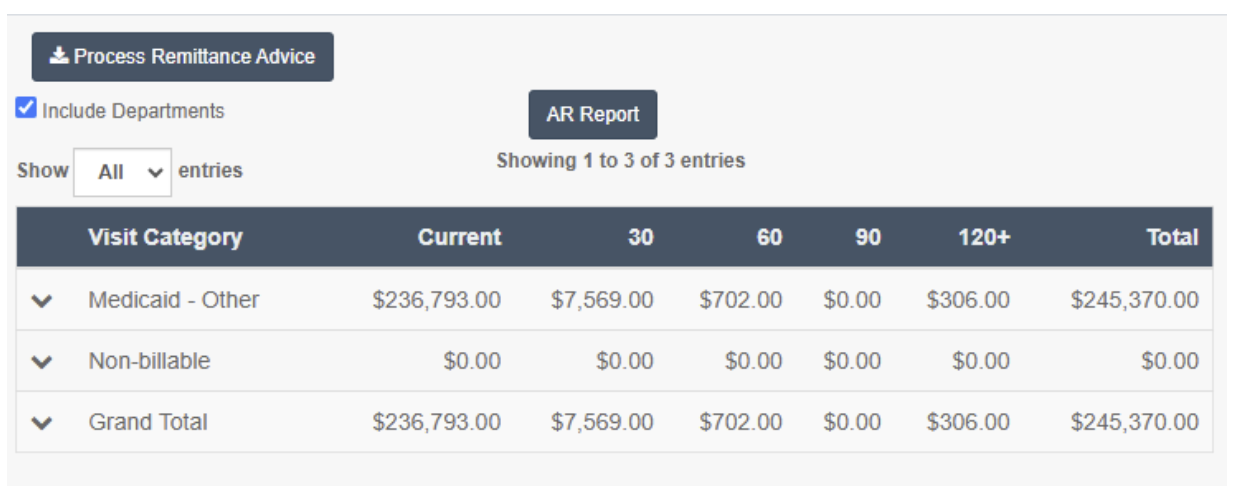
When dealing with third-party payers like Healthy Blue and Home State, you'll often find that they authorize more hours per client. This could give you the opportunity to take on more clients and bill more hours.
Pro Tip: Keep an eye on payers with generous hour authorizations and learn the best practices for working with them.
It’s a given — you can’t bill if the visits weren’t done. Tracking actual visit data is essential. Make sure your system is updated and that the data matches up with what was actually provided.
Pro Tip: Use a dashboard to track visits and ensure they are properly accounted for in your billing system.

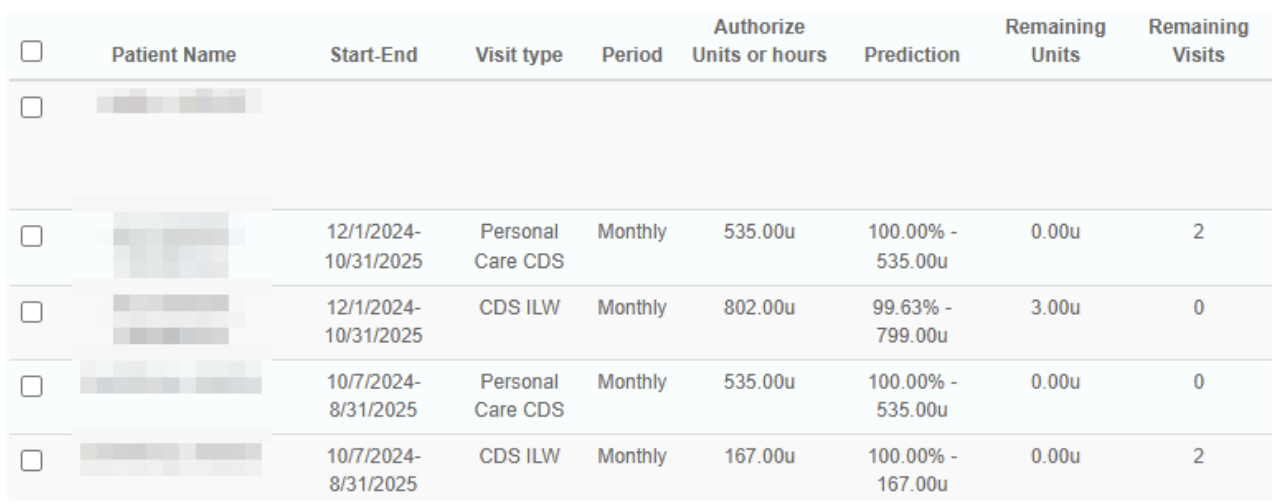
Compare your delivered units (hours) with the authorized hours before the month ends to ensure you’re on track. Overdelivering means you won’t get paid more, and underdelivering means clients miss out on the care they’re entitled to.
Pro Tip: Use reports to compare the two and adjust your delivery accordingly.
Billing in-home care can be complicated, but with the right processes in place, you can streamline operations and minimize errors. These nine tips will help you get ahead, increase cash flow, and reduce billing issues.
Beyond state-specific rules, mastering the fundamentals of billing optimization can drastically improve your agency's cash flow.
If you're still facing challenges with your billing system or need help optimizing your process, we’d love to help. Click here to schedule a demo and see how Ankota can make your billing process easier!
Ready to streamline your billing process? Contact us today to schedule a demo and learn more about how Ankota can support your home care agency.
Ankota's mission is to enable the Heroes who keep older and disabled people living at home to focus on care because we take care of the tech. If you need software for home care, EVV, I/DD Services, Adult Day Care centers, or Caregiver Recruiting, please Contact Ankota.

Vijay is an expert on all-things Home Care and Electronic Visit Verification (EVV). He serves as the VP of Sales for Ankota
.png)
.png)



Trusted by home care agencies nationwide